Dashboard
Once a system starts working constantly, a set of scripts is no longer enough. You need a point where you can see its current state, the manual queue, errors and post-submit life.
So the project got a dashboard.
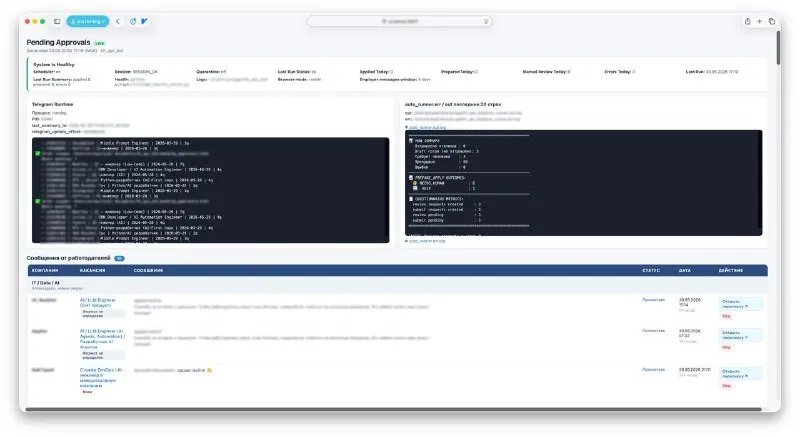
The first screen gathers the health layer: scheduler, browser session, quarantine, the result of the last run, daily metrics, Telegram runtime and the latest lines of the auto runner. Below are messages from employers, because the project doesn’t end at the moment of applying.
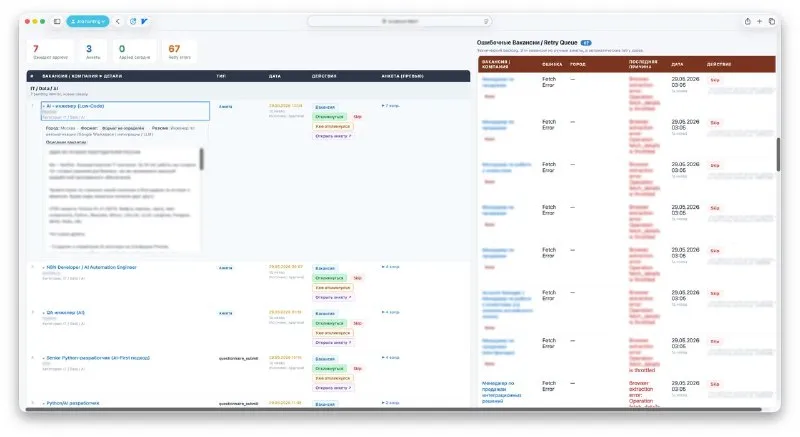
The second screen holds the working queue: pending approvals and questionnaires where I’m needed, and next to them the retry queue with cases automation couldn’t complete correctly on the first pass.
I don’t need the dashboard to “watch the bot”. I need it to keep the whole system under control: runtime, manual cases, errors, conversations and the points where automation is no longer enough.