How VoxBase turns an iPhone recording into Markdown
I built VoxBase as a pipeline where each layer has its own job:
iPhone › iCloud › Mac worker › VAD › chunks › Whisper › Markdown + metadata
I record my voice on the iPhone with Just Press Record.
The file appears in iCloud, but VoxBase doesn’t process it right away.
First the system checks that the recording is really ready:
- the file is no longer .icloud
- its size has stopped changing
- the recording hasn’t been processed yet
- the worker isn’t running a second time
- the original can be read safely
In simplified form the logic looks like this:
for file in iphone_recordings:
    if not file.ready():
        continue

    if file in processed:
        continue

    copy = make_working_copy(file)

    speech = detect_speech(copy)
    chunks = build_chunks(speech, target_sec=60)

    text = transcribe(chunks)

    write_markdown(text)
    write_metadata(file, speech, chunks)

    archive_original(file)
    mark_processed(file)
file.ready() checks that iCloud has fully synced the recording • processed protects against processing the same file twice • make_working_copy() creates a copy so the original stays untouched • detect_speech() looks for actual speech in the audio • build_chunks() gathers speech sections into blocks of about 60 seconds • transcribe() sends those blocks to Whisper • write_markdown() creates the final .md file • write_metadata() saves technical information about the transcription • archive_original() puts the source .m4a into the archive • mark_processed() marks the recording as processed
The main principle: the original is never touched.
The source .m4a isn’t cut, cleaned or overwritten. VoxBase works with a copy.
The most important layer here isn’t Whisper, it’s the preparation before Whisper.
The system doesn’t send the whole audio file.
First it looks for speech.
For that it uses VAD, Voice Activity Detection.
long recording › speech map › chunks of ~60 seconds › Whisper
That way VoxBase doesn’t transcribe emptiness or feed the model garbage.
Then each chunk is brought to working form through ffmpeg:
- mono
- 16 kHz
- denoise
- loudnorm
- WAV for Whisper
After that the local whisper-cli with the large-v3 model turns speech into text.
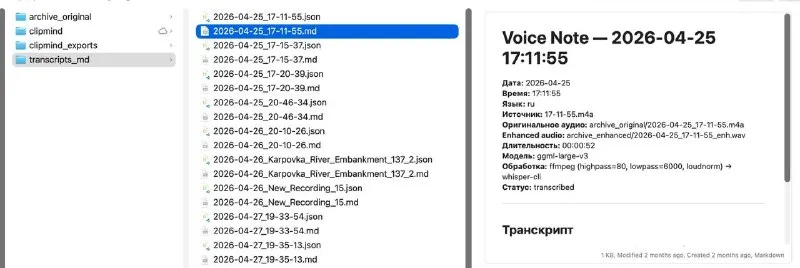
The output is Markdown and metadata:
- source file
- recording length
- how much speech there was
- how much silence was skipped
- how many chunks came out
- which model was used
- which pipeline ran
So the result isn’t just a transcript.
What appears is a text artifact with a provenance.
voice › speech › chunks › transcript › Markdown › memory
An iPhone recording used to be the end of a process.
Now it has become the entry into a system.
In the next post I’ll explain why I decided to make this pipeline local rather than use a cloud transcriber.